Update: By popular demand we’ve also introduced an ‘Add Users’ feature that lets you easily add up to 15 users at one time to your blog (and they can all have different roles too!) Check out ‘Add Users’ under your ‘Users’ tab.
We’ve got a cracking new feature this week, one that we should’ve introduced ages ago and one that we think you’ll love!
Introducing…. the Blog and User Creator!
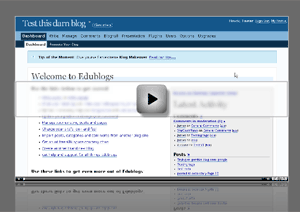
You can find this beautiful new feature in your ‘Users’ menu and what it does is simple.
It allows you to create, in batches of up to 15 at a time, blogs and usernames for your students and colleagues.
Give them a username, pop in their email address, choose a URL for them and decide if you want to also be admin of their blog (how neat is that, you can easily administer every student blog you set up… you can even change the student to ‘author’ or ‘contributor’ level!)
So now you don’t have to worry about your students all creating blogs, you can do it for them here.
Or if you want to introduce Edublogs to the other teachers in your school… just set them up an account using this tool.
And it even doesn’t matter if your students don’t have email addresses, because there’s a simple hack you can use with gmail.
Anyway, as you can probably tell, we’re pretty excited by this feature, and we’d love to get your feedback on it so please tell us what you think in the comments below.



68 responses so far ↓
Hi James
Great tool. I have set up quite a few blogs for teachers in the past and this would have made it sooooo much easier. Thanks for adding this tool into the ever-expanding suite that is Edublogs
Cheers
Mike
Thanks much James! Just passed it on to all of my teachers, should make life much easier.
Isnt that part of Wordpress mu?
Looking forward to checking out this new feature. I am trying to encourage my schools to start class blogging here in Mexico, especially in middle, high schools and university levels for now. This tool will help facilitate that dialog and make student (and teacher) blogging a reality … even in the least expected of places. Thanks!
Frank
Thanks for notifying users about this new feature. This will be so helpful in setting up blogs for students. I am going to check it out right now. Thanks so much!!
Wow, what a great feature. I could have so used this a while back when I was working with a group and had to have each create their own accounts, etc. Thanks for doing this!
Simply amazing… it’s so hard to rely on kids to set up their own blogs, this is SOOO nice! Thank you!
Is there a way that student blogs can be set to be private from the general public and or other students. I’d like to set student blogs but want the students to be able to allow students they know to be read their blog.
Hi, I administrate a wordpress mu blog. What plugin are you using for the automation of creating blogs and accounts? I have to create the user, and then add them to a blog. It takes longer than what you just showed me. Great stuff!
Is this new feature a way to add students so that they can post to an existing blog? I’d like to add some of my students who have not signed up yet. Thanks!
@Rheinard + Aaron - It’s very much custom developed by us! Not easy either I can tell ya!
@Ron - For full privacy and global control of that you’re gonna have to take a look at http://edublogs.org/campus
@Journey… yes, it is… use teh form to create just users and them add them to the blog through the Users > Authors and Users tab.
What a great feature - this would have saved me hours back in January! I might even swap my Learnerblogs over to Edublogs (much as the thought pains me.) :-)
My next request would be a teacher feature selection panel, so we could choose which features out kids could access. I’d really like them to be able to choose their own presentation themes and widgets for example, but not change the email address to which notifications are sent. Just something for you to consider, James, in your spare time!
Heh, I have to be honest with you, the ‘user roles’ in WP are among the hardest to change and you realy aren’t going to find any other ‘levels’ than those listed here:
http://codex.wordpress.org/Roles_and_Capabilities
However, the ability to make yourself admin of each blog does mean that you can simply set the student user level to any of the above and retain admin control… which is pretty neat.
Spare time… what’s that? ;)
Ok, I am totally lost. I went through and filled out the information for my students, but how do I get my kids to their blogs and where do I go to administer their blogs?
Your kids will all get emails with their usernames, passwords and blog URLs.
You can just role over your blog name (in your dashboard) to see a dropdown of all teh blogs you belong to and can manage.
Hi James,
Fantastic to see some of these recent changes that make edublogs much more user friendly for managing student blogs. I was getting really frustrated, but this is great and Im back on board.
Thanks for all your hard work!!
Told you we were worth sticking around for :)
We’ve got even more cool stuff coming soon too!
Thank you!!!! This feature is awesome! I too was looking to perhaps make a change after a frustrating couple of weeks for my students, but this feature solves many of those problems. Bravo! This is wonderful! Thank you!
James, thank you for your help, but I’m still lost. My students don’t have email accounts so I went through the steps using gmail to set up emails under my email account. I have checked the accounts and there are no emails. I do now see their sites listed under my blog name, but if I click on one of their sites it just takes me to my blog.
Did you receive the registration emails at your gmail address?
Can you post an example site you’ve created please.
How many accounts can I create for my students?
As many as you like, in batches of 15 at a time.
BTW guys, go fix up your avatars! Users > Your Avatar :)
thanks James this will be a great feature for all those who are about to and will come on board and will save ever so much time. Like some of the other new links you put in and the fact that the students can now add an avatar quite easily. Widgets on the side bar are still a problem depending on the code they are grabbing. Anyway thanks for the revamp.
Thanx sooooo much. I work with tech-newbie teachers and it ussually takes me a whole morning just to get them to register and set up their blogs….I absolutely adore uuuuu!!!
This is a great feature especially in the Third World where internet connection is expensive. All my student can now simply log on to their ready-made blogs instead of saving for the time they’ll have enough to stay long at the commercial cybercafes to do so. Thanx a million.
Austen, English Language Center, Lome, Togo
hi! this is a great feature! it would have saved me a lot time in January, but nvm, I will use it the next time around! currently, i setup a class blog using gmail hack. unfortunately, my students do not get any updates of the class blog to their email inbox as i used the gmail hack way… so, its me who gets the blog updates via mail thru my gmail acc… So, the next time, i will surely use this new feature so that the students will be updated instantly!
Thank you. I am new to this….so I will give it a try!!!
I used the gmail hack to put in emails for my kids and then filled out the forms for blogs for my students. I never got email verifications at my gmail and I can’t get to my student’s blogs.
@dthaggard you’ve laready said that - you don’t need to repost it twice.
I suggest you revisit the gmail user creation because at the moment you’re the only person who this isn’t working for.
Aslo please provide a few usernames (as examples) that you have created.
I’m working on a project which envolves 18 schools. I would like to use this new feature to quickly set up each lead teacher with a blog and will probably also use the gmail hack. Am I correct in thinking that I will initially receive all the usernames, passwords and blog URLs to my gmail account, which I can then pass on the the group. Although I am willing to be an admin on all these blogs, I don’t want to receive notification of any comments or of those in moderation - is this possible? I would want each teacher to swap the gmail address given to their own email address.
” Am I correct in thinking that I will initially receive all the usernames, passwords and blog URLs to my gmail account, which I can then pass on the the group. ”
Yep.
As you say, the fix is to get each teacher to change the email addres for their own - ther eare two places where this will need to be done, My Profile and Options (Admin email).
Hi James,
I just set up four blogs for some keen students in my class. I can get to their front page but when I try to go into site admin, I am immediately sent to the dashboard of my own personal blog. In my own blog, I can get the drop down menu and click on a student’s blog, but again it takes me back to my personal dashboard. Each student had their own school email address so I didn’t use gmail hack. What am I doing wrong? One of the student blogs is http://chocwya67.edublogs.org
I set up my blog and had a number of students send comments to it. However, in being adventurous, I changed the “look” and now I’m told the site is not found. What did I do wrong?
Please post any technical Qs with as much detail (links etc.) as you can to the forums: http://edublogs.org/forums/
How do I delete all the individual blogs that I set up for my students so I can try to set them up again? I have the same problem that Sue Wyatt is having. I thought i would try to redo the whole process, but I want to get rid of the student blogs I have already set up first.
If you;ve already set up blog syou’ll need to log into their backends and go to Options > Delete Blog
Although to be totally honest with you teh best approach is probably just to choose new user & URL names.
I had a hard time trying to create blogs for my students. The error message said that no capitals are allowed in the url, eventhough I had not placed any capitals in the urls.
One example was http://mariadiaz80.edublogs@yahoo.com. Several of the students were able to get edublogs in the Computer Lab today, but some were not.
How do I make myself the administrator of student blogs? I want to be able to monitor the content that is posted by each student.
Just set yourself as co-admin when you create them. You can then fiddle with the student user levels if you want (it’s in the video).
how do students make entries on blogs?
On my Pi and Technology blog, scroll down to Comments and write your comment.
Hi ,
I am feeling a little lost. I have tried adding a new user to my blog who will be assisting me in adding content. I have tried using the Add User from Community section - doesn’t work. Tells me the User can’t be found.
Tried the Add Users section it tells me A user with that email address could not be found. This particular user already has an edublog account. What am I doing wrong . Help.
Most likely they are using a different email address or have an account on learnerblogs.org (which doesn’t cross over)
Hi! This is a wonderful teaching tool! However, I didn’t add myself as co-administrator to a majority of my students’ blogs. Can I do this after the fact? How?
Thanks!
Ms Pari
Thanks for this feature. Now I have created blogs for my students, how do I link them to my class blog
James, major question as I prepare to expand my use of edublogs for next year. This year, I started with my 7th graders. It was extremely successful, but I have found some kinks and cannot find solutions. I had wanted the kids to be able to design their own blogs, customize, add wikis, etc. I made them co-administrators with me, using the gmail hack. I was disappointed that I was unable to moderate their posts. How can I add that functionality without reducing their capabilities by now giving them the role of contributor? Is there a way? Also, several of them have figured out how to change their email (thus I am not getting notifications now) and how to edit comments. Since next year my expansion means including even younger students, is there a way to fix all of this? Right now, all I can think is that I will have to give them administrator rights for a period of time so that they can customize their blog all they want, then changing their role to contributor so that I will be able to moderate posts in addition to comments. Second: as the kids graduate, and want to keep their blogs, how do I allow them to keep their blog without being linked to my gmail account? I hope these questions aren’t too rudimentary for you to tackle. Thanks.
hi there, i have used the gmail hack to include my students. however, using Gmail Hack, only I as the administrator will get the rss updates. since i was using Gmail hack, my students could not get the updates… that turned them off! sigh…
Well, ideally they would have their own email addresses, but we;re working on other solutions.
Hi James. No matter what question or comment I post, I am not getting a response from you. Even a “Go back to tech school newbie” would be preferable to nothing. I find the forums too confusing as I am actually a newbie, so could I get a reply to my questions? Please?
@genarg just copy and paste your comment into the forums: http://edublogs.org/forums/ it’s no more difficult than posting it here and will get more responses from across the community as well as assisting peopel searching or browsing aroudn similar issues in the future.
And from around the web...
[...] is a big one, now teachers can easily create and manage student blogs, straight from their dashboard. Like, [...]
[...] http://edublogs.org/2008/03/11/simply-create-blogs-and-usernames-for-your-students/ [...]
[...] Simply create blogs and usernames for your students | Edublogs - education blogs This is big news for teachers using edublogs… no more need to send students out to make their own accounts, and no more confusion between edublogs and learnerblogs. Simply make your students accounts from your own blog dashboard. :) (tags: edublogs) [...]
[...] done again James - multibloggability is [...]
[...] Simply create blogs and usernames for your students | Edublogs - education blogs This is big news for teachers using edublogs… no more need to send students out to make their own accounts, and no more confusion between edublogs and learnerblogs. Simply make your students accounts from your own blog dashboard. :) (tags: edublogs) [...]
[...] like the new feature to allow teachers to easily create blogs for students now available in Edublogs. I would have liked it even more if it were possible to put together a csv file and author a series [...]
[...] Farmer, toch altijd al zo enthousiast, is weer eens zeer in zijn nopjes met een nieuwe feature voor [...]
[...] http://edublogs.org/2008/03/11/simply-create-blogs-and-usernames-for-your-students/ [...]
[...] New Edublogs feature create blogs and usernames for students (tags: blog edublogs web2.0) [...]
[...] of which, the Edublogs platform now has the option for teachers to create student blogs right from a main blog account in a way [...]
[...] length of time. is how much the landscape can change. Things like the beta release of pbWiki 2, the latest edublogs feature that enables you to add up to fifteen users at a time, (oh where was this just two weeks back when [...]
[...] got onto the edublogs blog and made a comment about what had happened and it was recommended that I put the problem with all technical details on the edublogs forum. I [...]
[...] a new blog and user creator to facilitate the creation of blogs for others. All you need to do is fill out the details to [...]
[...] I had just finished reading the terrible news about Al Upton’s class blogs when all this was taking place. I made a decision to close down the pupil’s blog (at least I copied and pasted all her posts before taking the ‘one way trip’!). I also erased another pupil’s blog where there had been a previous spam comment noticed. It was a rushed decision and the next morning I decided to create new edublogs for the pupils. This was quite a simple job using the new blog and user creator. [...]
[...] Simply create blogs and usernames for your students | Edublogs - education blogs [...]
[...] this workshop and sharing these ideas with teachers. For the first time I got to include the new Blog and User Creator at [...]
[...] Don’t forget Edublogs has now added a new feature that means you to create, in batches of up to 15 at a time, blogs and usernames for your students and colleagues. [...]