As part of the extensive theme updates we recently launched, every single theme can now take advantage of threaded comments.
Here is an example of what threaded comments are and what you can do with them:

Complete the following steps to activate threaded comments on your blog:
1. Disable the threaded comments plugin if you currently have it activated.
2. Go to Settings > Discussion.

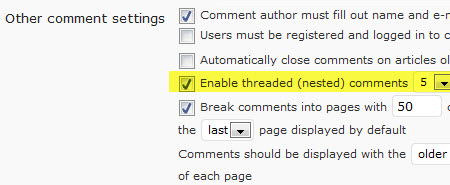
3. Select Enable threaded (nested) comments.
4. Scroll to bottom of page and click Save Changes.
To see an excellent example of using threaded comments in a class setting, check out this post on a seventh grade English class blog. There is some exciting learning going on there!