We love out widgets here at edublogs, we surely do, and there’s nothing so much that brings a smile to our faces than some swinging sidebar shenanigans!
And, given that, I’m delighted to officially unveil out Twitter and VodPod widgets:
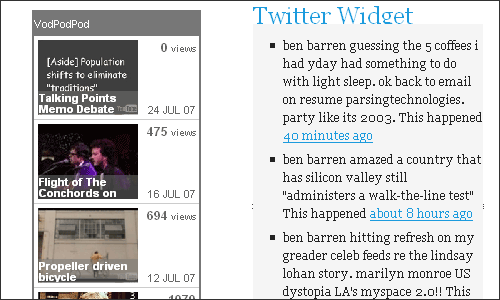
As ever, just click through to ‘Presentation’ > ‘Widgets’ and you’ll be able to select these two which allow you add your latest, ahem, ‘tweets’ to your sidebar and all your fave VodPod videos.



July 25, 2007 at 3:45 pm Permalink
What I’d really like to to be able to have a widget that shows me my Library Thing library – covers and all. The Library site gives me the javascript to do it on blogger, but for some reason, edublogs doesn’t seem to support it
July 25, 2007 at 5:19 pm Permalink
Well, we’ll have a look into that :)
Unfortunately we can’t allow javascript for the same reasons they have on wordpress.com: http://faq.wordpress.com/2006/05/07/javascript-can-i-use-that-on-my-blog/
But we are also working on a solution to that.. so stay tuned.
July 26, 2007 at 12:37 am Permalink
I’m having trouble with my ShowYourselfWidget on http://yestech.edublogs.org/. I’m in a class with Alice Barr and the code seems similar on hers, but mine is not displaying correctly.
July 26, 2007 at 8:49 am Permalink
I don’t believe we have a widget by that name, could you post some more information (code, steps you are taking) in the forums please: http://edublogs.org/forums
July 26, 2007 at 2:22 pm Permalink
Hey ggannell,
I got my Librarything widget to work. You can see mine at ihancock.edublogs.org.
I just went to Librarything, clicked on the tools button, selected my settings then copied the code. Once I had the code I went to the widgets on edublogs, chose a text box to insert in the side column and posted my code in there saving it after.
Hope that helps. I’m trying to get my shutterchance photos as a widget on my blog but I haven’t figured out how to do that yet.
Good luck
Ian
July 26, 2007 at 7:05 pm Permalink
Sorry Ian, that wasn’t supposed to be possible :(
Same reason as here: http://faq.wordpress.com/2006/05/07/javascript-can-i-use-that-on-my-blog/
However, we’ll endeavour to get a librarything widhet in place asap.
July 27, 2007 at 1:38 am Permalink
Oh dear!! Now my sidebar looks so empty!!
I also wouldn’t mind a blogroll widget as well for my link.
Here is the code for it:
Thanks
Ian
July 27, 2007 at 8:28 am Permalink
Sorry :(
We will have a fix soon though, promise… you can use the ‘Links’ widget to display your blogroll?
July 31, 2007 at 9:32 am Permalink
What about the cloud tags’ widget for edublogs and a stats counter?
July 31, 2007 at 10:00 am Permalink
tag clouds for individual blogs coming soon (edublogs as a whole also arriving shortly) and some internal stats too… in the meantime you can always use Google Analytics, but I know what you mean about having it as a widget.
August 31, 2007 at 2:36 am Permalink
I can’t get my blogroll or links to show up on my sidebar. Any suggestions?
August 31, 2007 at 8:16 am Permalink
‘Links’ widget
September 1, 2007 at 4:10 am Permalink
I have it in the sidebar box. It is not showing up on the blog’s sidebar
September 4, 2007 at 12:55 am Permalink
Any further update on the previously mentioned LibraryThing issue?
September 7, 2007 at 12:18 pm Permalink
My links will not show up either. I have them listed in my BlogRoll but they don’t show up even though I have the widget. Ideas?
September 7, 2007 at 2:04 pm Permalink
You have to use the librarything widgetbox widget at the moment – and that blogroll things is odd, we’re looking into it!
September 24, 2007 at 8:15 am Permalink
I want to put gcast into my sidebar…can I do that?
September 27, 2007 at 1:54 pm Permalink
Can I have a different blogroll on each page of my blog?
September 27, 2007 at 4:05 pm Permalink
Please refer any questions you have to the forums.